
[🔬 onboarding dissection] Otter.ai top 3 activation moves

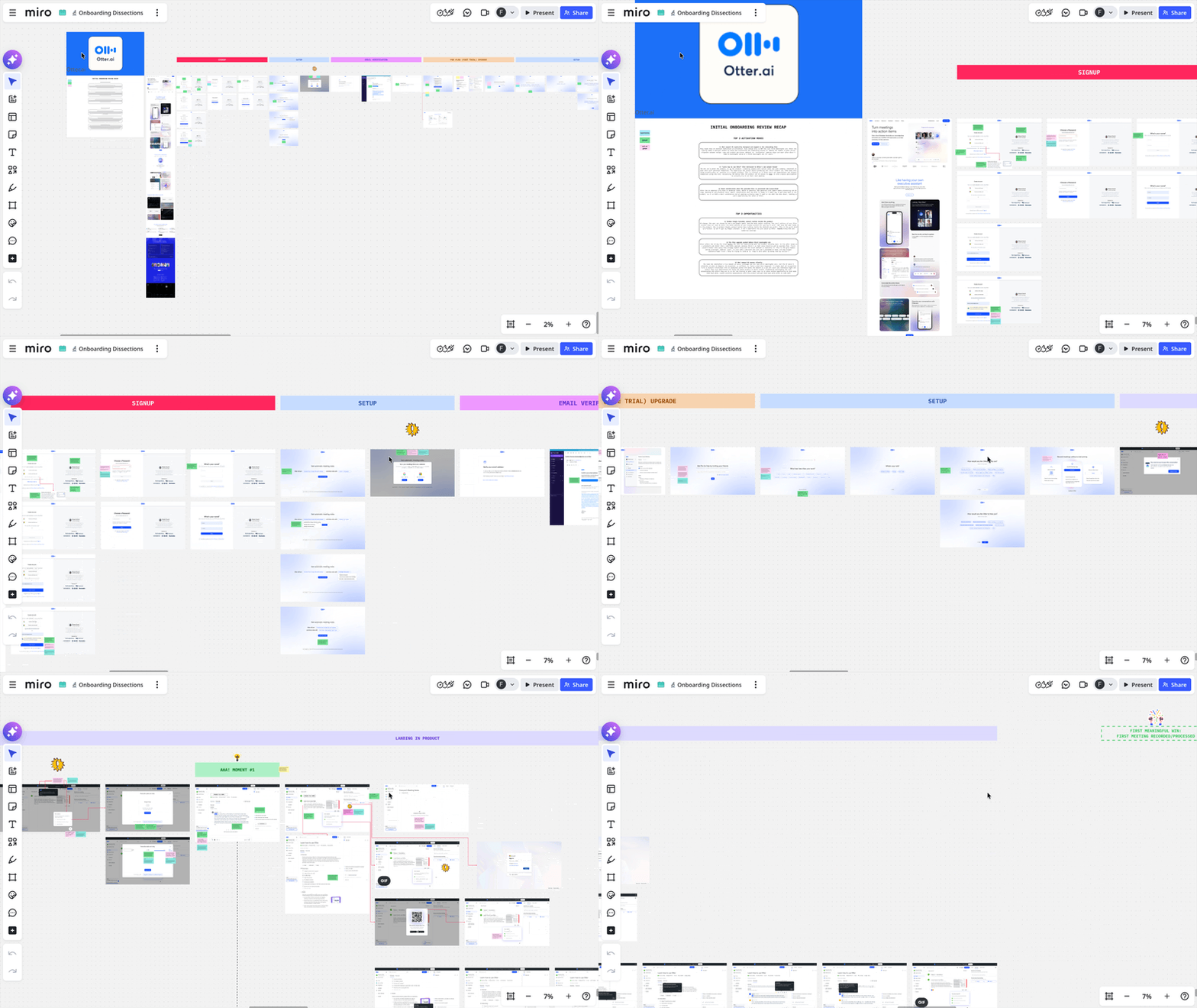
What is Otter.ai?
Otter.ai is an AI meeting notetaker. The promise: it joins your meetings, transcribes them, and gives you back clean summaries with action items, exec recaps and full transcripts, without you doing anything.
I've been reviewing AI meeting notetakers lately (it's a crowded space), and Otter is one of the names that keeps coming up. So I gave it a proper look.
Here are the top 3 things Otter's onboarding does well and I believe are worth looking at if you're a B2B SaaS founder with a product that has async processing, and in-product education to deliver to new users.
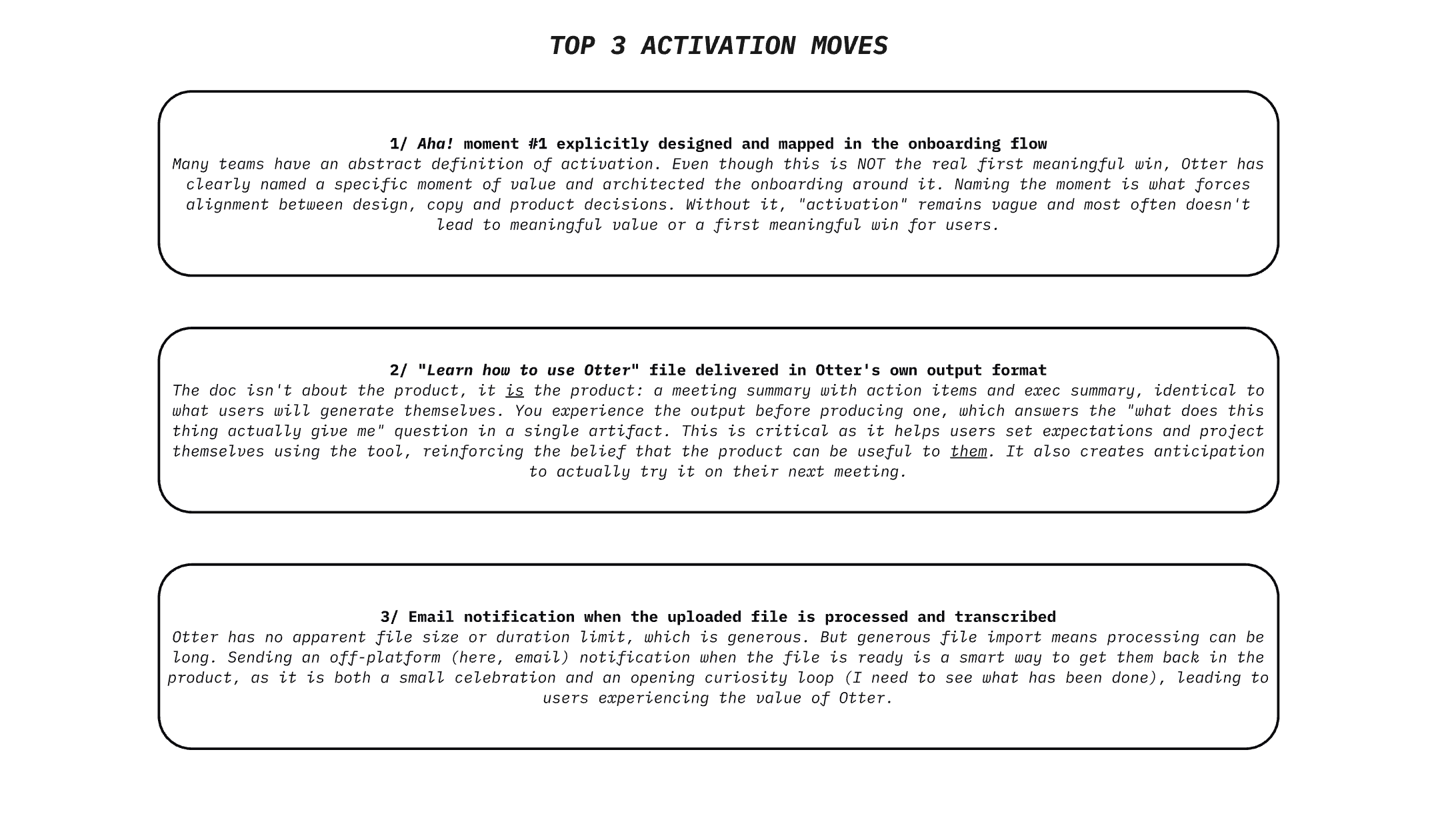
TOP 1 — Otter's onboarding is build around a specific aha! moment
When it comes to activation, founders and teams I speak with are clear on what they want: more users that stick, better onboarding, stronger engagement.
Those are real goals, but they're business-centric, not user-centric.
Why would a user engage more, and stick around?
A few conditions:
- they need to believe your product can be useful to them
- they need to believe it's easy to use
- they need to actually experience the value it promises
That's what activation is all about.
•••
Now if we compare Otter with Fathom (another AI notetaker), here's the aha! moments they both deliver during onboarding:
- Otter: the user can upload an audio/video file and get it transcribed/summarized + play with the AI chat/output formats
- Fathom: the user can run a simulated test call (sandbox env.) to actually see how the notetaker will behave in actual meetings + see the transcript/summary and play with the AI chat
Both products deliver a meaningful aha! moment, in the sense they prove the user they actually work well.
But both these moments are not what I call the first meaningful win (FMW).
To me, the FMW for a notetaker is when the user has ran their first real meeting, and gotten the summary/transcript/action items and see the value of the product in real-world conditions (please let me know if you think otherwise, i'm curious).
So in through this lens, I believe Fathom's onboarding does a better job. What Otter proves the user is, "Look how I can transcribe and summarize any audio/video file you import, and let you pick among popular output formats, and ask questions in the my AI chat to extract even more insights from your transcript".
•••
But still, what Otter does well is being deliberate about that moment of value. Many products don't even get that far.
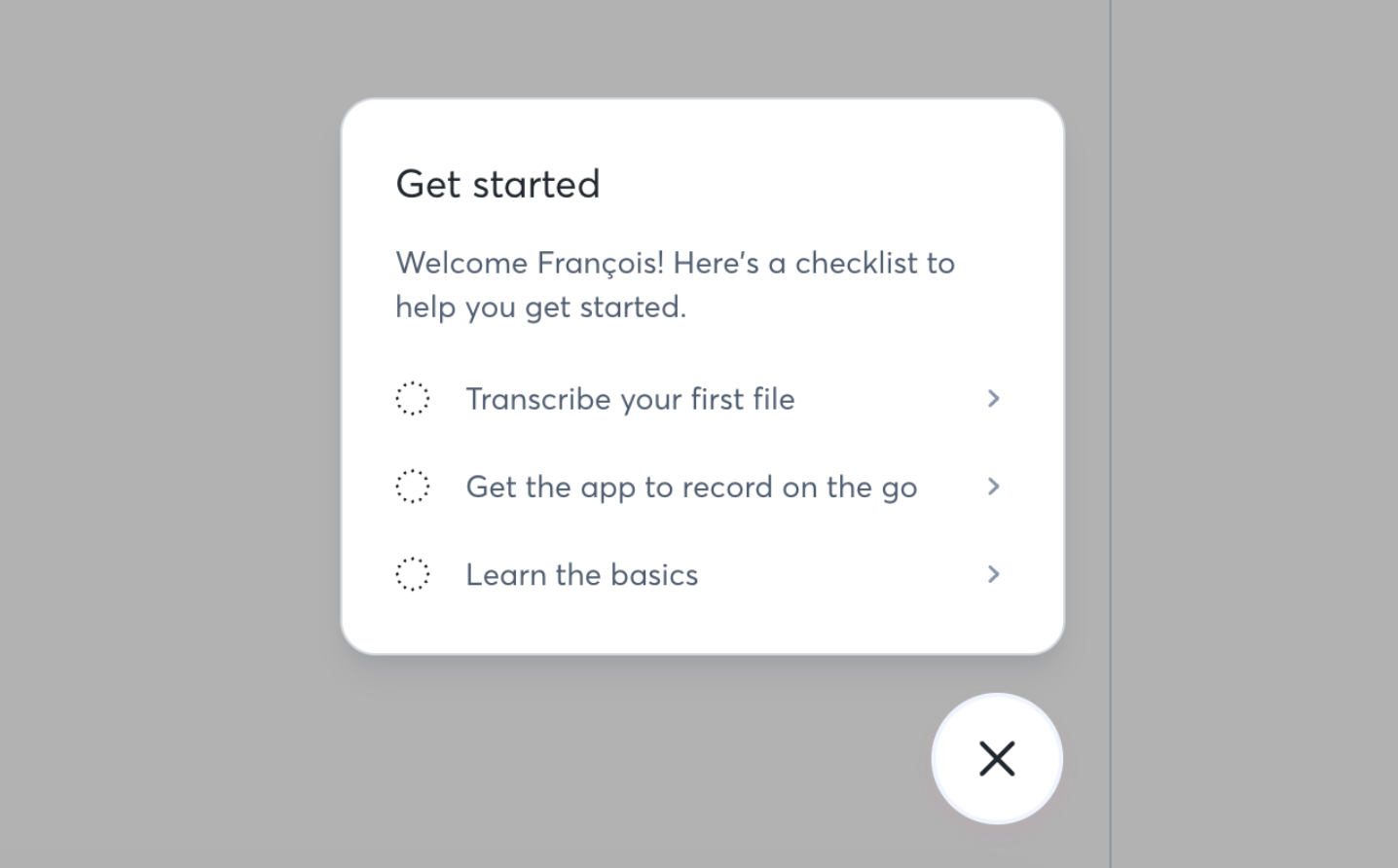
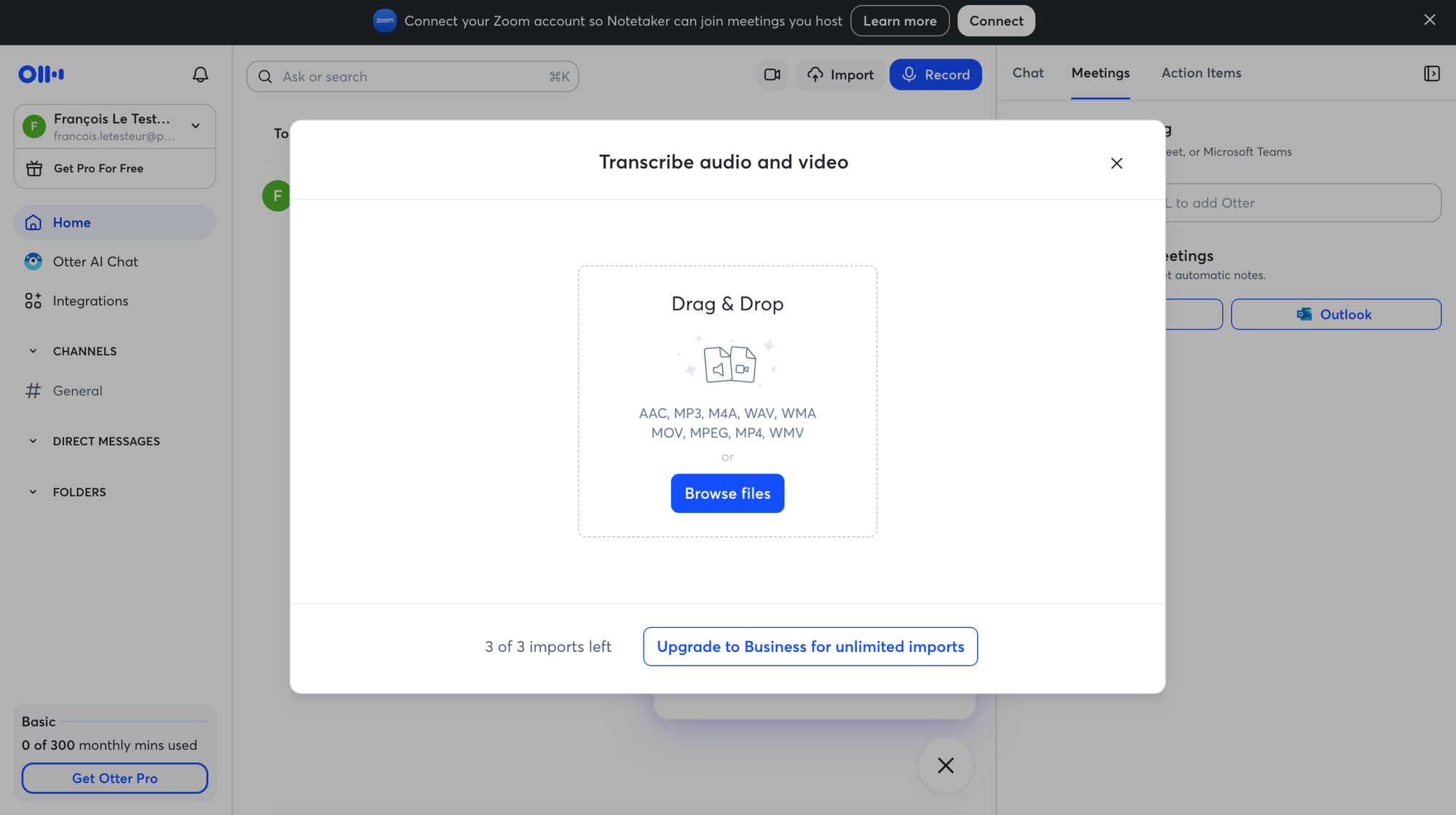
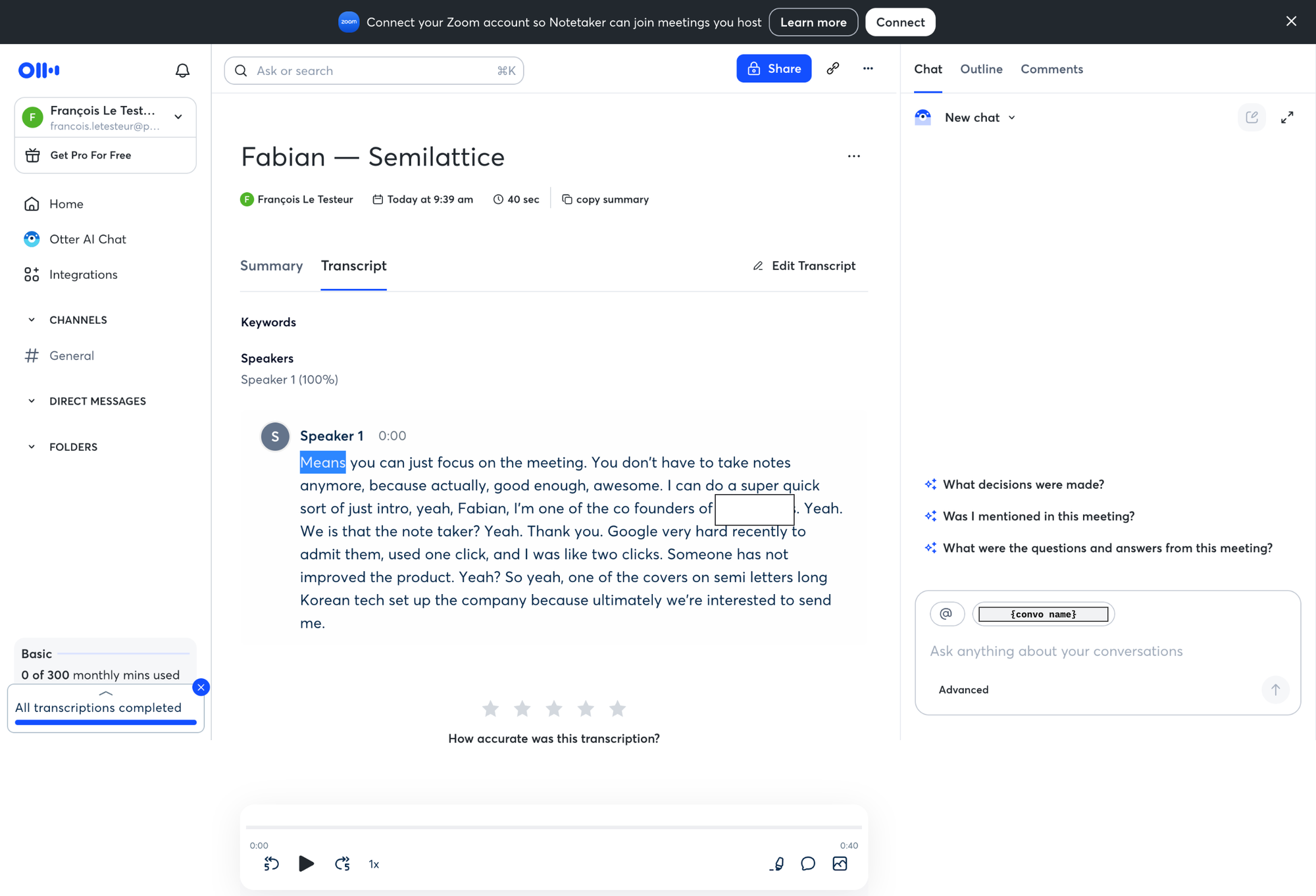
This may not be the real FMW for Otter users, but it's still a meaningful value delivery moment that proves competence and builds trust, confirming the belief that the tool should also work great with real meetings, because all it has to do is attend and record — the processing is already validated as a skill.
Onboarding a new user is about confirming the initial beliefs that our product can actually be useful to users, and that it's easy to use.
To confirm those beliefs, we "simply" need to deliver a moment of value that's as meaningful as possible to the user, meaning: it proves the product works and delivers on the promised value.
Some products are too complex to be able to deliver a real first meaningful win, but there are smaller atomic meaningful wins user should reach to keep building trust and momentum.
TOP 2 — The "Learn how to use Otter" file is the product
Once you're in the product, Otter gives you a "Learn how to use Otter" file. Standard onboarding move, right? Help doc, quick tour, that kind of thing.
But there's something smart here.
The file is delivered in Otter's own output format: a meeting summary, with "learn the basics" action items, an exec summary and a full transcript, structured exactly like what you'll generate yourself once you start recording your meetings.
The doc isn't about the product. It is the product.
You experience the output before you've ever produced one. You learn what Otter gives you by consuming what Otter gives you. The "what does this thing actually do for me?" question, which is normally answered through marketing copy or video tours, gets answered through a single artifact you can scroll through and interact with.
It's also the fastest possible answer to "what do I get out of this?" that doesn't rely on the user actually doing the work first. And it sets a clear quality bar: this is what your meetings will look like once you start using us.
It's kinda eat-your-own-dogfood as onboarding, and it's brilliant.
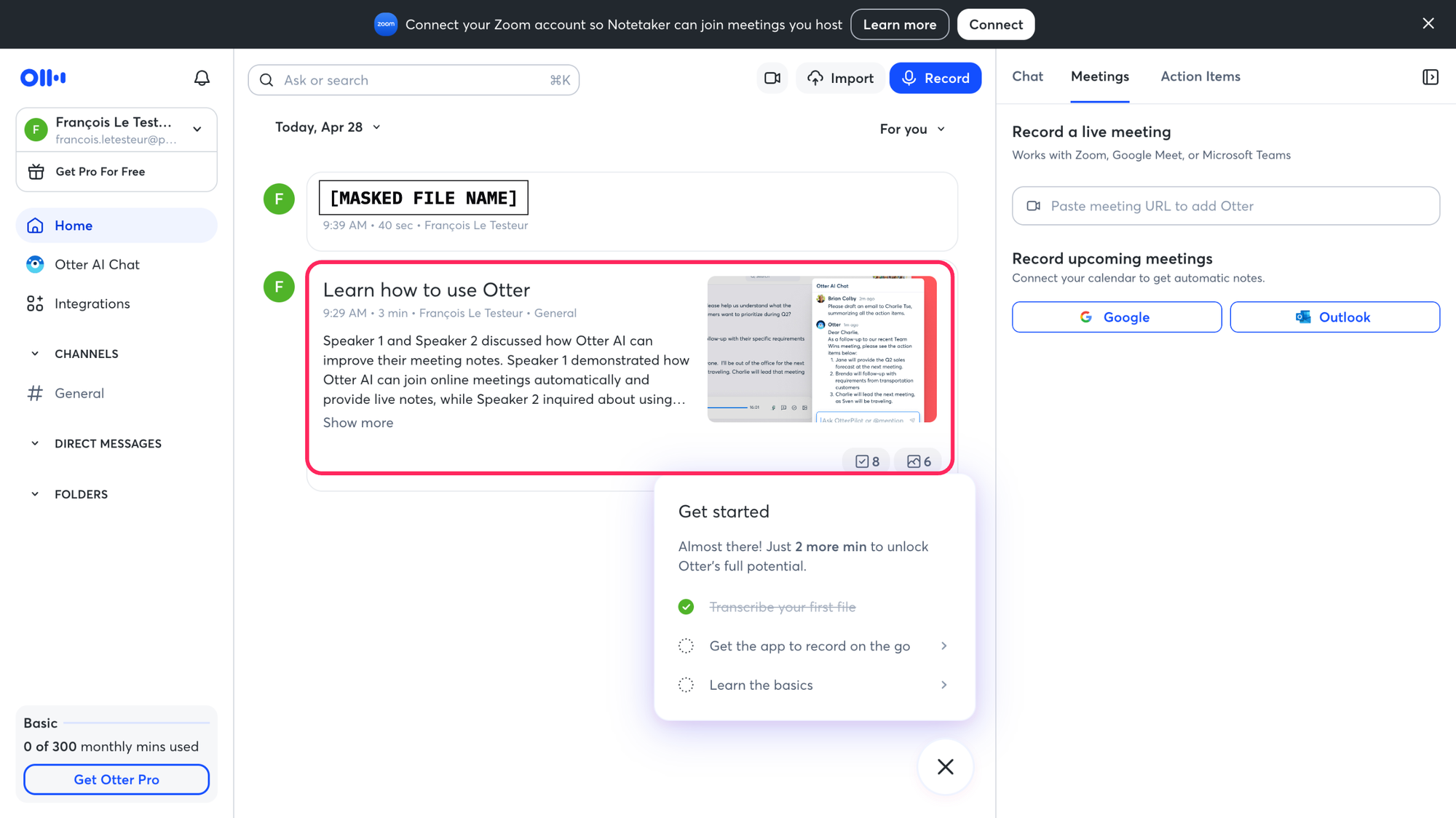
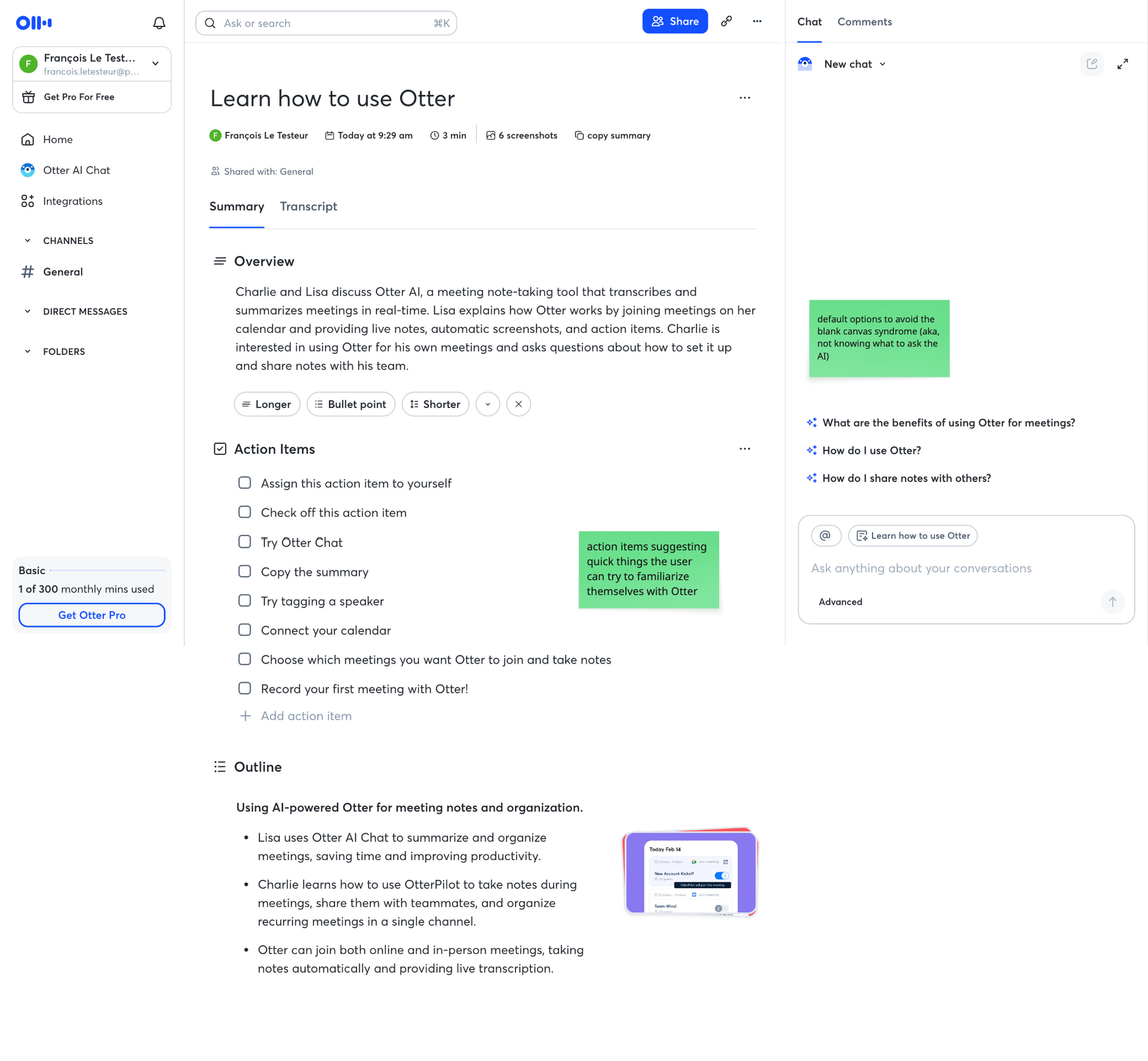
Delivering educational material via the product is a good opportunity to do it in the form of the tool's output itself, so users can familiarize with the outcomes the product delivers, and start forming new mental models, as well as clear expectations and projections about how they'll use the tool (and ideally, win with it).
TOP 3 — Async-job UX done right: an email when your file is ready
Otter lets you upload audio/video files to transcribe. As far as I could tell, there's no apparent file size or duration limit, just a limit of 3 files in the free plan (which is quite generous, and a smart activation choice in itself as the user can upload an entire meeting to try Otter's capabilities).
But generous inputs come with a cost: processing can take a while. A 90-minute interview isn't going to transcribe in 5 seconds.
A mistake here would be to trap the user on a loading screen, without clearing any anxiety ("can I keep browsing?", "what happens if I close the tab?" "how long do I have to wait?"). Or to redirect them into a dashboard with a "processing" list and expect you to come back and check on your own initiative. Or worst of all, they say nothing and let the user wonder if it ever worked.
Otter doesn't. Once your file is processed and ready to consume, you get an email when the transcription is ready.
3 things happen because of this:
- wait anxiety disappears: you're not stuck wondering if it worked, if you should refresh, or if you broke it
- you get freed up to do something else: the product respects your time instead of demanding your attention
- a return trigger is created at the exact moment value is available: you don't come back to "let me check if it's ready". You come back to "oh it's ready, let's see it".
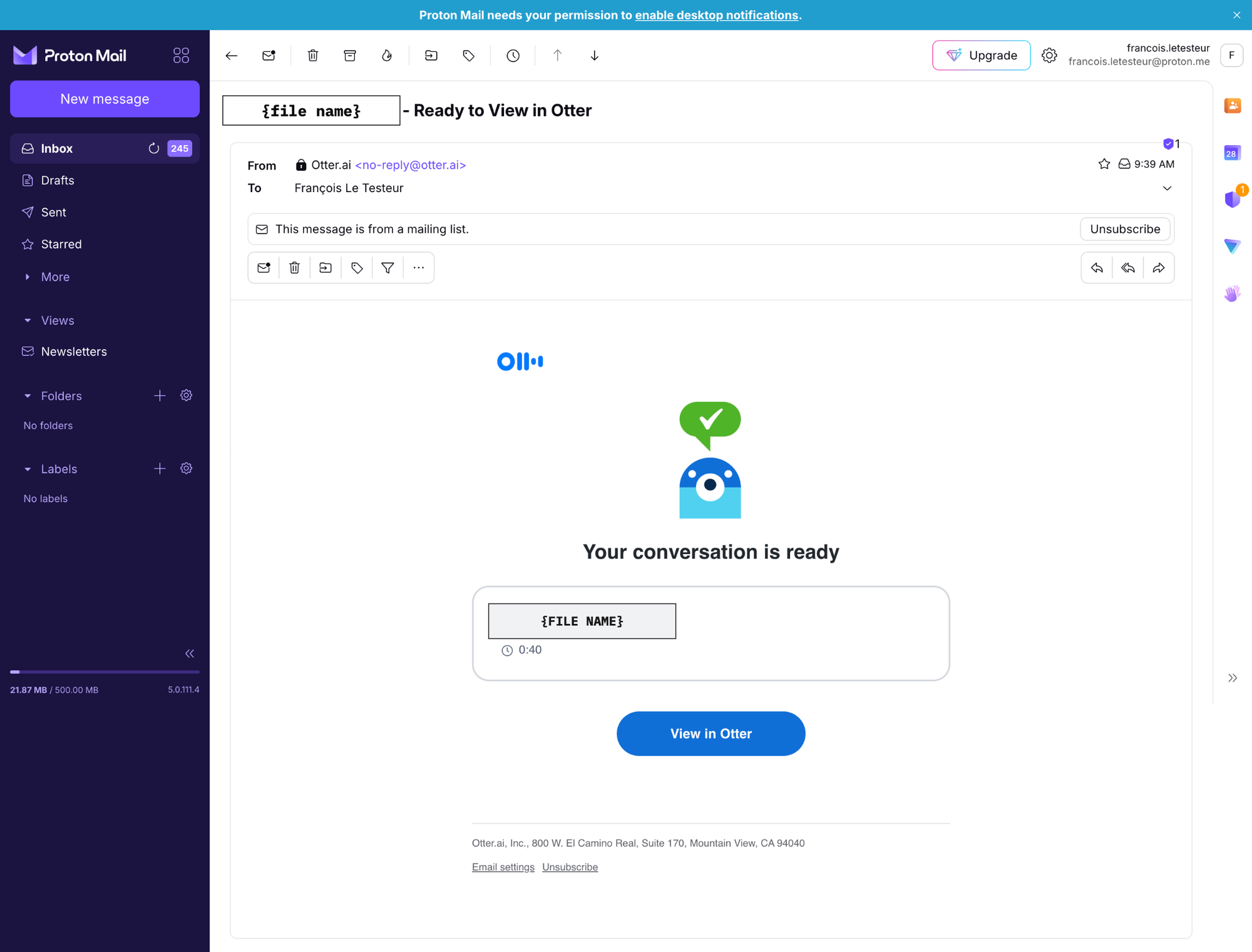
That last one is the real magic. The email turns waiting into anticipation, and the return into a moment of payoff. You go from "should I check?" to "let me see what I got". Different emotion, different motivation, different conversion likelihood.
And it makes the user learn they'll never have to wait after a meeting to see when the transcript will be ready. Future mental off-loading.
any product that involves async processing (AI generation, file conversion, data import, long-running compute) should send users a "ready" signal instead of asking them to keep watching the screen.
It costs a transactional email but it offers a re-entry moment that's pre-emotionally loaded with anticipation, curiosity and excitement rather than impatience or frustration.
What to take from this
The interesting thing about Otter's onboarding is that it does a few small things really well in a flow that has its share of friction elsewhere.
That's actually a useful lesson on its own. You don't need to nail everything to deliver moments of activation magic. You need to identify the few decisions that disproportionately shape the user's first experience and get those right:
- the moment of value itself (and the discipline of naming it)
- the artifact that lets users feel what your product does without doing the work
- the return trigger that brings them back at the right time, in the right emotional state
These aren't features, they're decisions about where in the flow to put your effort.
And any team, regardless of stage or budget, can consider these decisions and make the most of them, based on what the user needs to do and experience during onboarding to reinforce the belief they'll achieve their goals with the product.
As always, it's not just about features, or logic. It's about psycho-logic.
I hope this was valuable.
PS_
Want me to review your onboarding for $0? Apply here.
I'll share a miro board with screen-by-screen annotations and top recommendations I'd work on first, and why. I'll look at it through both a strategic, user psychology and UX lens, based on the same system I use with clients.
(No commitment, no following harassment with a drip email campaign or whatever)
Senior Product Designer • Activation/Onboarding Specialist
Helping B2B SaaS founders activate, convert and retain more users
Let's talk → LinkedIn | fsimitchiev.com